



x
Loading . . .
XChat
- Download. You can get the latest version for free at silverex.org, or you can download the shareware version at the XChat website.
- Install. Open the file you downloaded and proceed through the installer. Here is what the white background theme looks like; leave it unchecked and you'll get the black background theme. Otherwise, leave the options as they are and you will be fine.
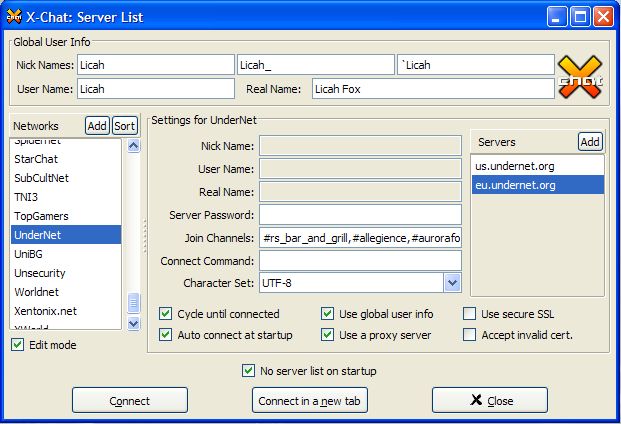
- Customize. Open your newly installed copy of X-Chat. In the X-Chat > Server List, enable Edit mode to begin customizing. Select UnderNet in the Networks column, and edit the rest to your liking - here is an example.
- Chat! To join a channel, simply type /join #channel. For example, to join the Bar & Grill, type /join #rs_bar_and_grill. Now you can just start talking!
See also: